
FAQ
Everything you need to know before you install.
Can I turn a Suno song into a full music video?
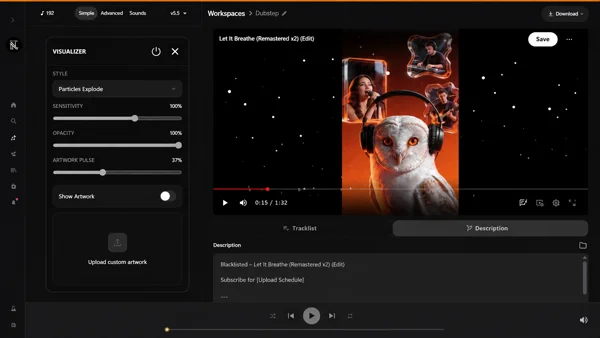
Yes. Suno Board gives you the full path from Suno track to finished music video in one place, so you can move from idea to export fast instead of stitching the whole workflow together by hand.
Can I make lyric videos and visualizers with Suno Board?
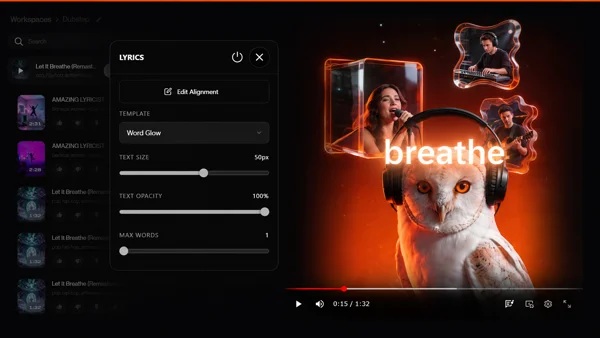
Yes. You can build lyric videos and visualizers directly inside Suno Board, control the look, sync the track, and export the final result from the same workflow.
Can I batch download Suno songs and lyrics?
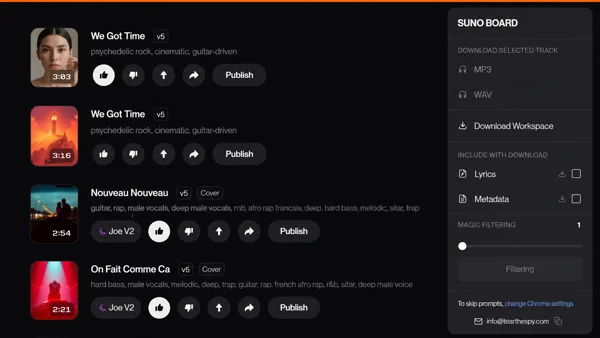
Yes. You can batch download tracks and lyrics across your Suno workspace, keep exports organized, and move through a growing catalog much faster than doing it one song at a time.
Can I export my Suno songs as MP3 or WAV?
Yes. Suno Board lets you export your Suno tracks as MP3 or WAV, so you can save, organize, edit, archive, or publish your songs outside of Suno.
Do I need video editing software?
No. Suno Board is designed to help you create lyric videos, visualizers, and music videos without starting from a traditional video editor.
You can still use external editors if you want advanced finishing, but the core workflow happens inside Suno Board.
Will my final video export keep the original audio quality?
Yes. Suno Board is built to preserve the original audio quality during export. The render happens locally, and your audio is kept clean instead of being pushed through unnecessary extra compression.
Here is why that matters. A 3-minute video at 30fps means your song gets paired with 5,400 individual frames. Many video tools re-encode the audio during export, which can soften the track, flatten the dynamics, or make it feel less alive than what you heard in Suno.
Suno Board is built to avoid that problem. Your audio is not sent through our servers, and the export is designed to keep the track as close as possible to the original file Suno gave you.
What you export should sound like what you made.
Who owns my songs and videos?
You do.
We never see your songs. We never store your songs. We do not upload them to our servers, and we do not claim ownership over anything you create, download, export, or publish.
Everything — the render, the video assembly, and the export — happens locally on your computer, inside your browser.
Your audio never leaves your machine unless you choose to upload it somewhere yourself.
We built Suno Board this way on purpose. It was not the easiest architecture, but it was the right one. We are creators too, and we would not accept anything less for our own work.
Is Suno Board affiliated with Suno?
No. Suno Board is an independent Chrome extension made for Suno creators. It is not affiliated with, endorsed by, or sponsored by Suno Inc.